How to Access Your Billing Portal

How to Access Your Billing Portal

Access Your InheritedData Billing Portal

Access Your Billing Portal for the First Time

Creating a new user Account is straightforward. Here's how to do it:
  1. Use this link to Create Your Login InheritedData Subscription Portal Create Login
  2. Navigate to Your Email Address that we have for your Account: Locate your update password link.
  3. Create Password: Now you can access the system.

Update Payment Method

Resetting your Password easy. Here's how to do it:
  1. Use this link to reset your password: Access Your Billing Portal
  2. Navigate to your email address that we have for your address.
  3. Locate the Update Password Link.
  4. Create new password - now you can access the portal. 

Log In

Logging into your Account is easy. Here's how to do it:
  1. Use this link to Login to your Account: Access Your Billing Portal
  2. Follow Prompts to access your Account: Access Your Account

Click the link

https://billing.stripe.com/p/login/3cs4hC9MbaIb0rm000

Steps

1) Enter email address that is associated with your Account. 


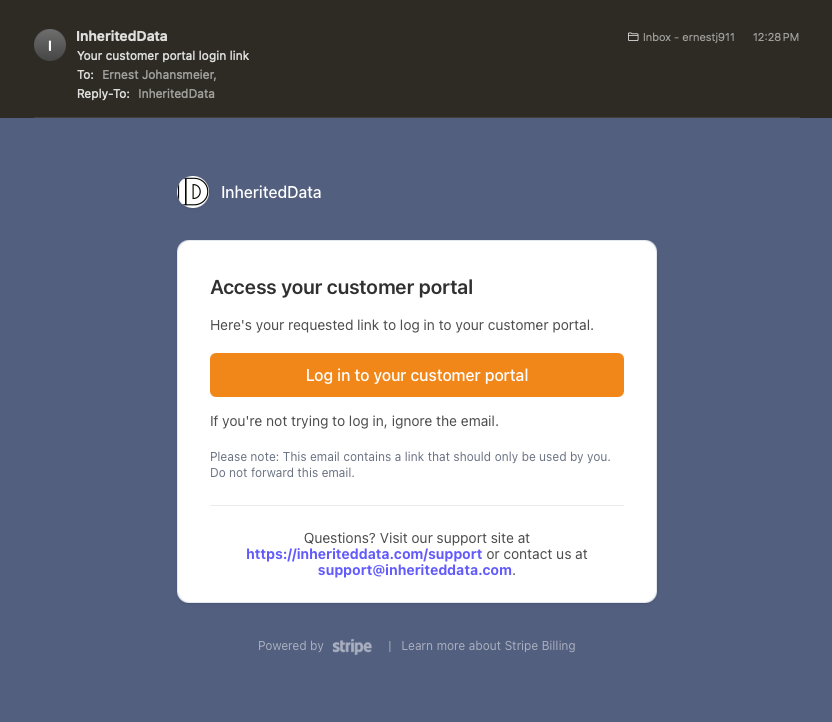
2) Access Your Email and Locate Login Link Email. 


3) Click Link and Access Your Account

    • Related Articles

    • Next Steps After Subscribing

      Please allow Onboarding 2-3 days to setup your Account. 1) InheritedDataPRO → Set Up Your InheritedDataPRO Account Your InheritedDataPRO subscription includes access to InheritedDataPRO. Seamlessly keep track of all your activities and your pipeline. ...
    • How to Setup Your InheritedDataPRO Account

      How to Create Your InheritedDataPRO Account Create a New Account Creating a new user Account is straightforward. Here are the steps: Use this Link to create your InheritedDataPRO Login: InheritedDataPRO Create Login Navigate to your email address ...
    • Download Center and Downloads

      Access InheritedDataPRO Download Center The Download Center is where you can access your data in three formats, tailored for different platforms and workflows. Basic List – All data is presented in a single row per record, ideal for general-purpose ...